* An Impulsive Purchase
It's no wonder that AI labs are frothing at the mouth[1] over advertising. After all, users are willingly providing some of the juiciest data imaginable directly into tools perfectly suited for spitting out the most actionable and relevant advertisements possible. And in the increasingly competitive and unprofitable field of training frontier models, only marketshare can hope to be prioritized over maximum value extraction.
As a privacy-forward individual, I find it all a hard pill to swallow. Paying extra for API-only, unretained* tokens is mostly a game of trust (a la "log-free" VPNs). If even offered in the first place, ZDR endpoints suffer from being API-only in that they are unaffordable compared to say, a subscription to the less private ClaudeGPT Pro Plus Ultra Unlimited Turbo 64 (Rainbow Edition)++.
And with my measly 12GiB 6700XT[2], the local landscape is bleak. Nine-billion parameters is enough for some tasks, but context is the real killer; especially considering just how much work the harness needs to do for smaller models with less intrinsic "knowledge". Pruned MCP still eats tokens like no other, compaction still sucks, and SotA harnesses like to pretend that a million context tokens is reasonable.
So without a second thought, an eBay search for "24GB VRAM GPU" sorted by price landed what was going to either be a killer deal or a killer mistake: the NVIDIA Tesla K80.
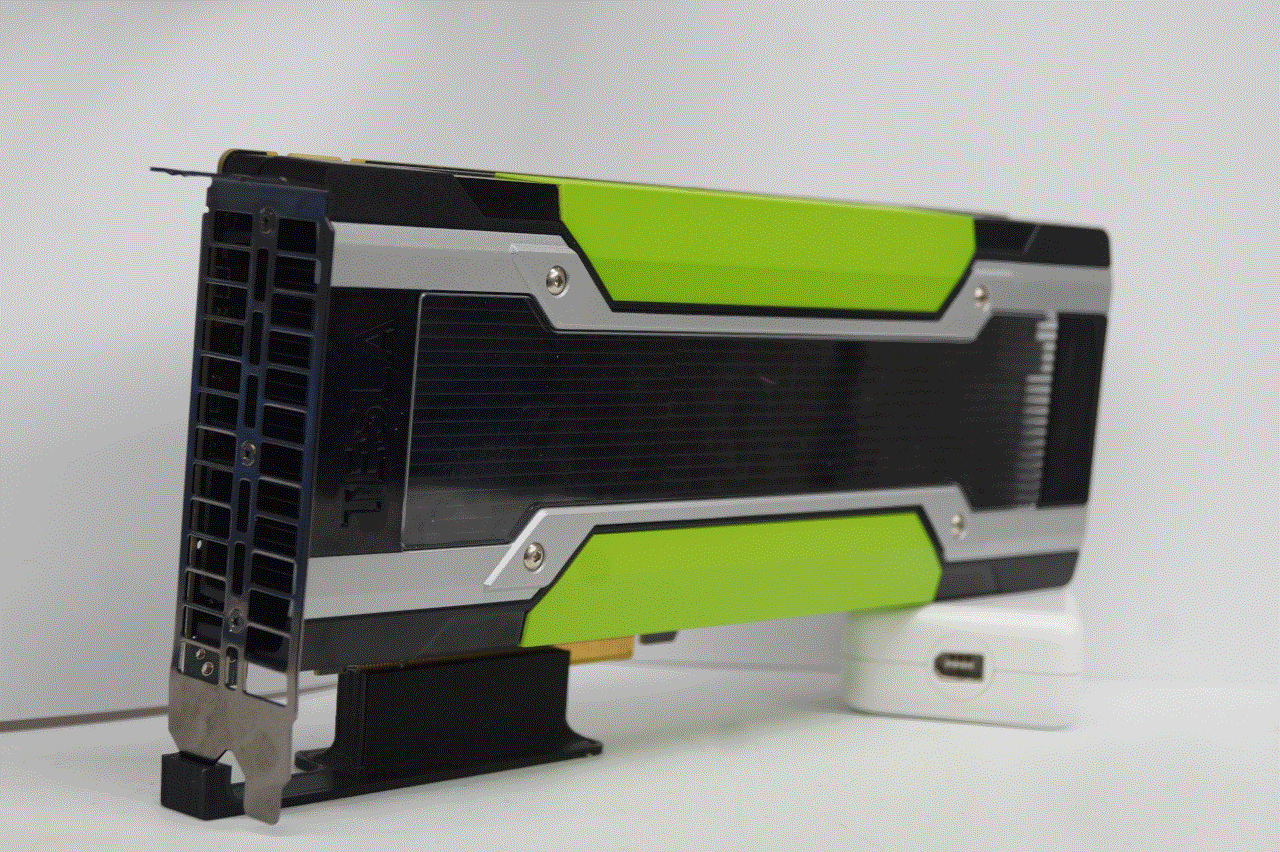
My Tesla K80 with 24GiB of VRAM
As sleek as it is, this 2014 Kepler card is deemed obsolete with a price to match. Sellers are practically begging to rid themselves of these once >$2500USD cards. Can a now $60USD card make sense for any workload? What could possibly be so unuseful about these cards that 97% of their value slipped away?
* Servers Need Not Apply
Being a server-first card, its understated design hides an inconvenient reality: Tesla cards have no video out, no fans, and most importantly no fan controllers. Cooling is supposed to come from airflow in the server chassis, blower style, and always at max RPM.
What's more is the strangely keyed power connector. Rather than taking the VGA connectors of any old ATX PSU, it accepts only six-pin CPU power cables. Some retrofitting is required in order to install in a standard PC.
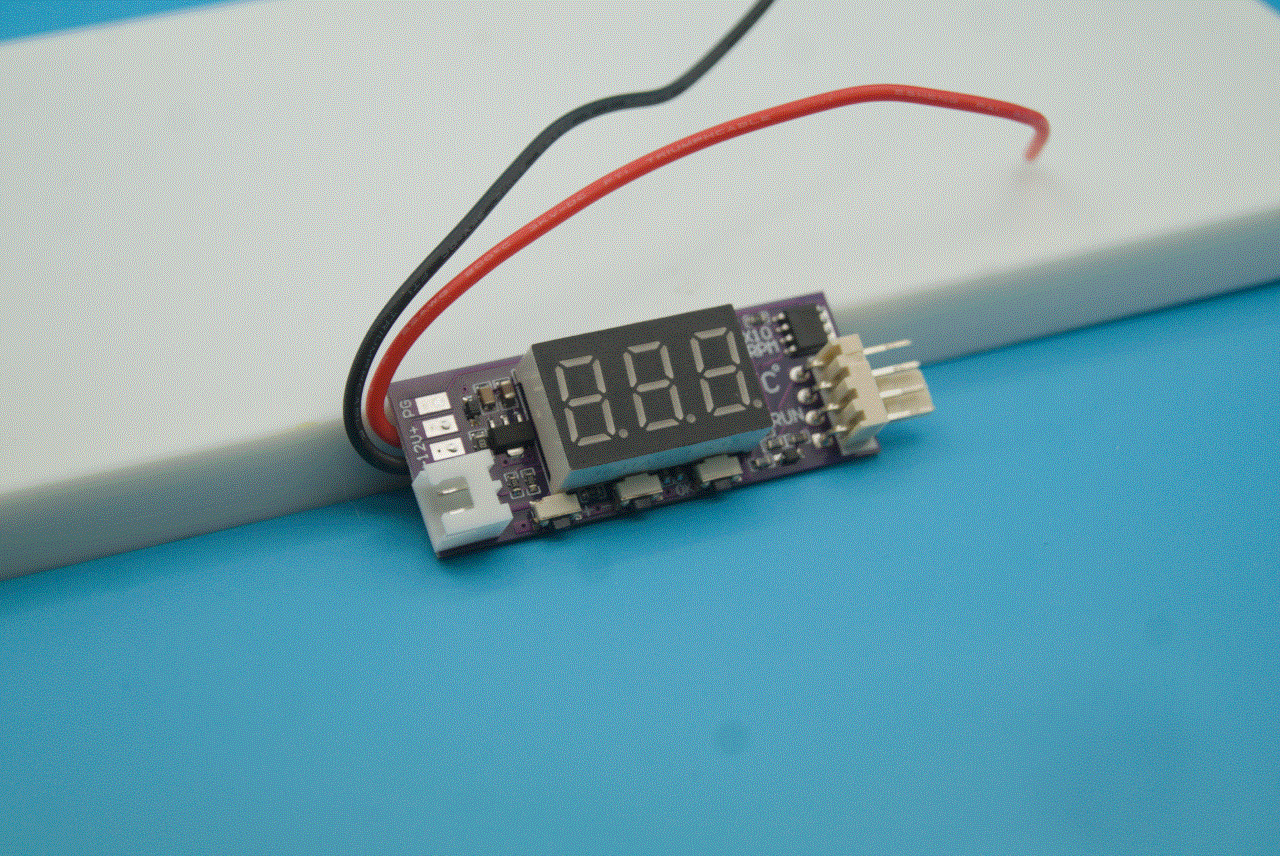
Temperature-sensing PWM fan controller
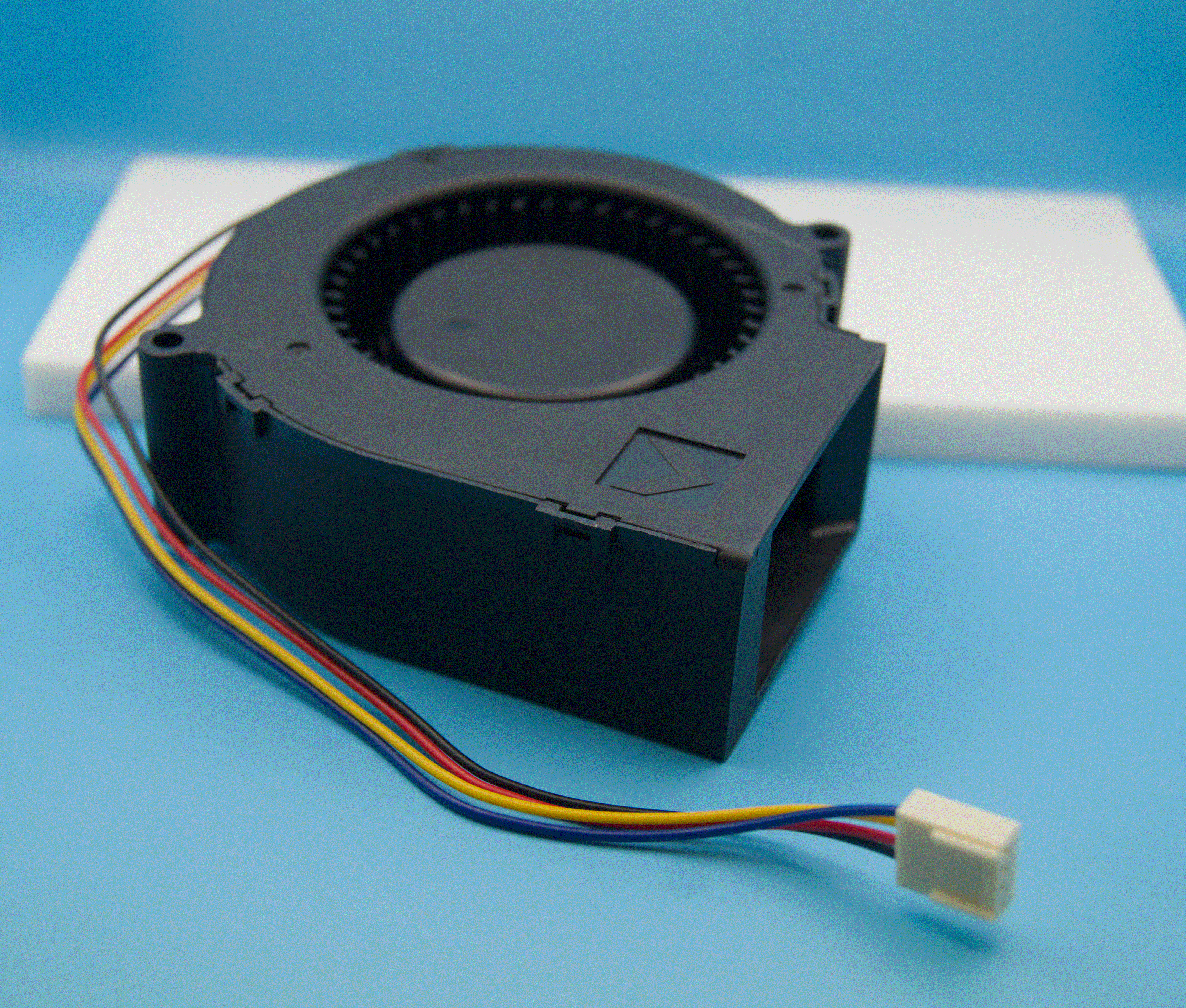
12V PWM blower fan
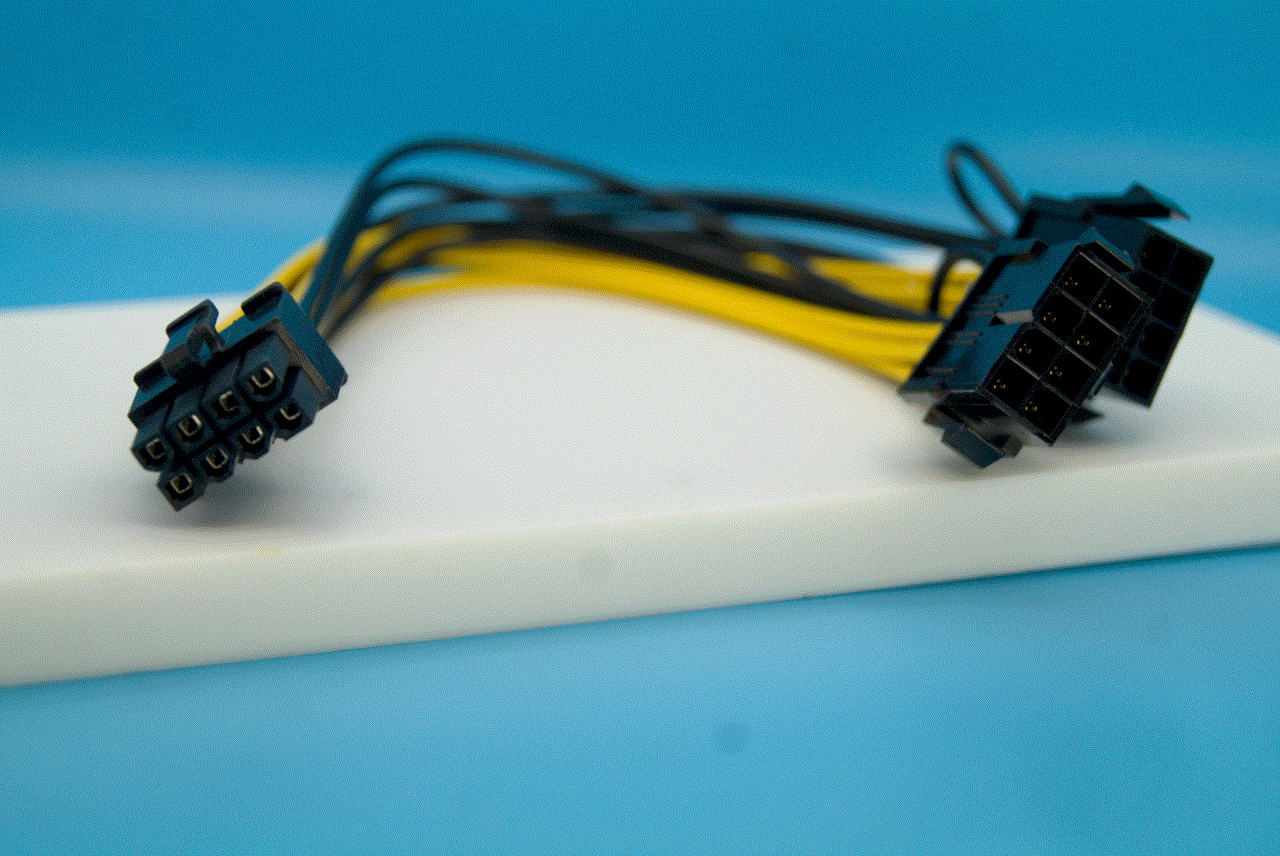
8-pin CPU power cable to
2x 8-pin VGA power cable adapter
Many K80 cards will come with that power cable included, but my folly was to purchase a listing lacking that luxury. A smarter man could cop one such listing alongside a cheap $10USD 12V DC-only blower fan, and call it a day for an easy sum of $70USD (post-tax). I added a $10USD PWM temperature controller and upgraded my fan choice accordingly, since I happen to prefer a lower noise profile.
Installation ended up being pretty straightforward too: I oneshotted a 3D-printable bracket design[3] to affix the fan/controller combo, printed it in PETG for some heat tolerance, and slapped it all together with some fresh thermal paste.
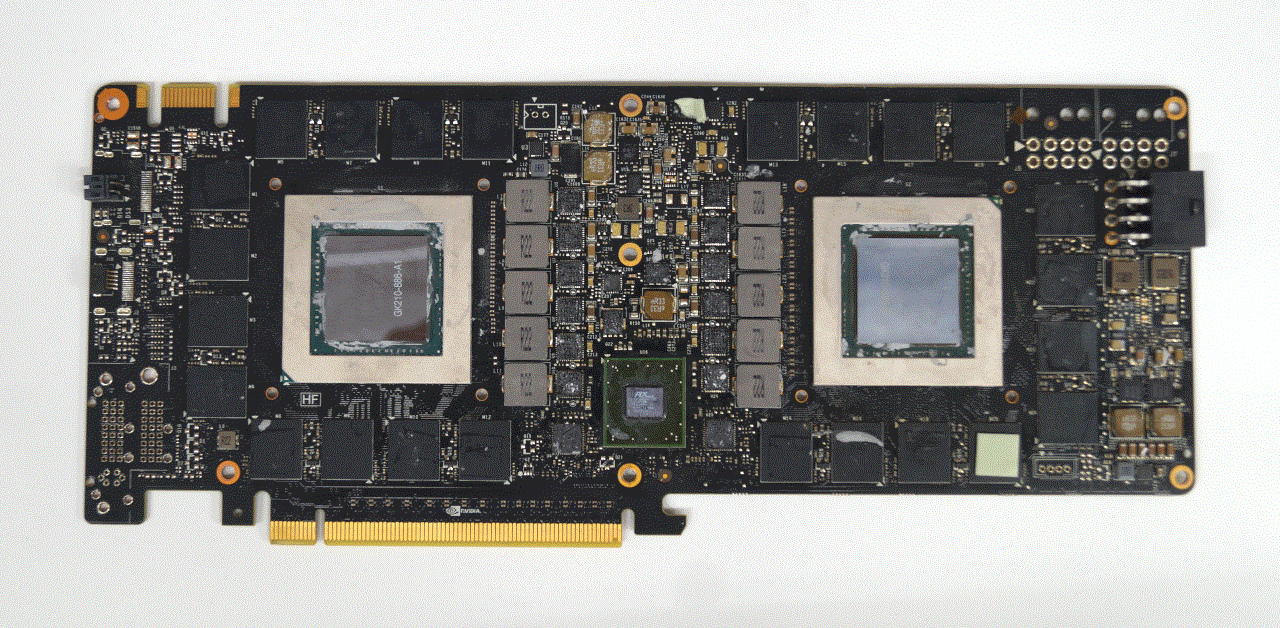
Not pictured: the perfect amount of thermal paste
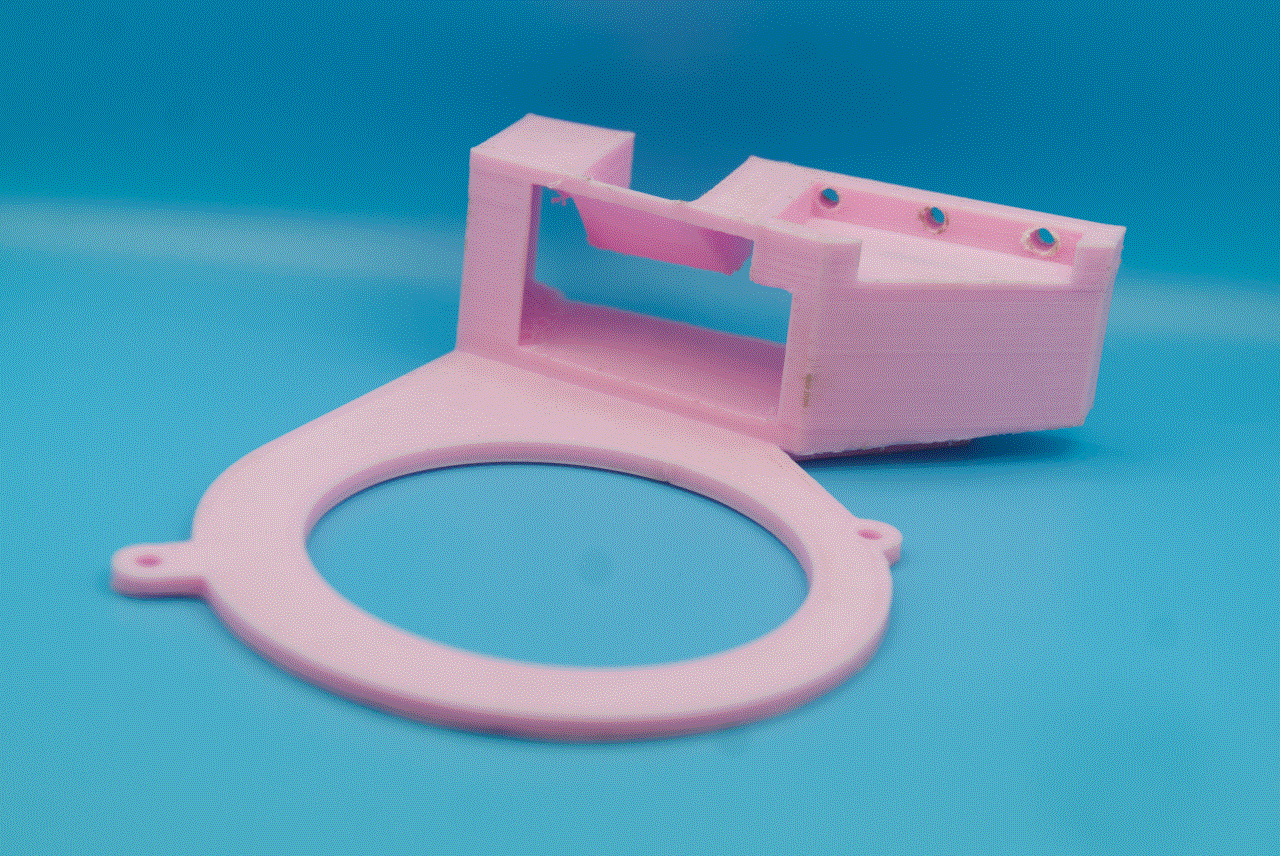
3D-printed fan bracket design
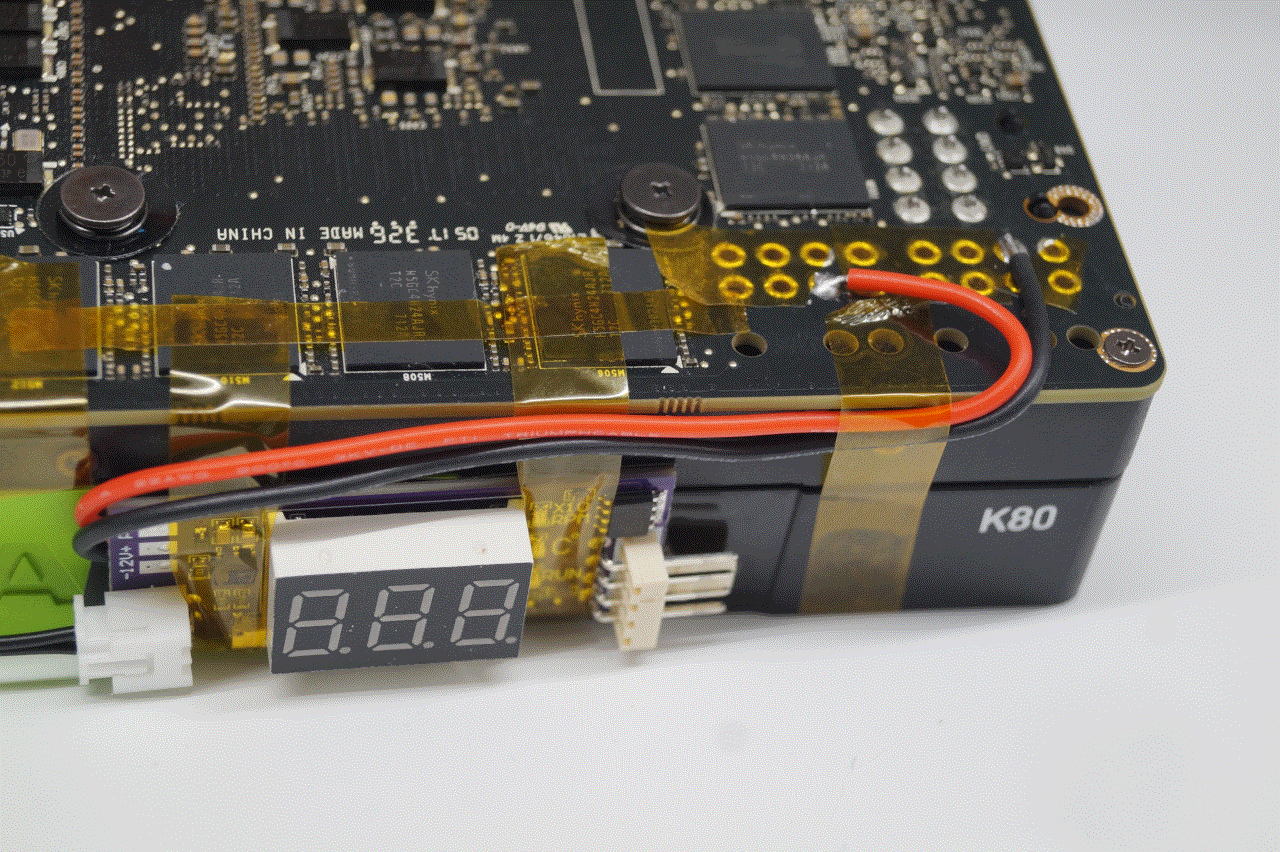
Tapped Power Connector
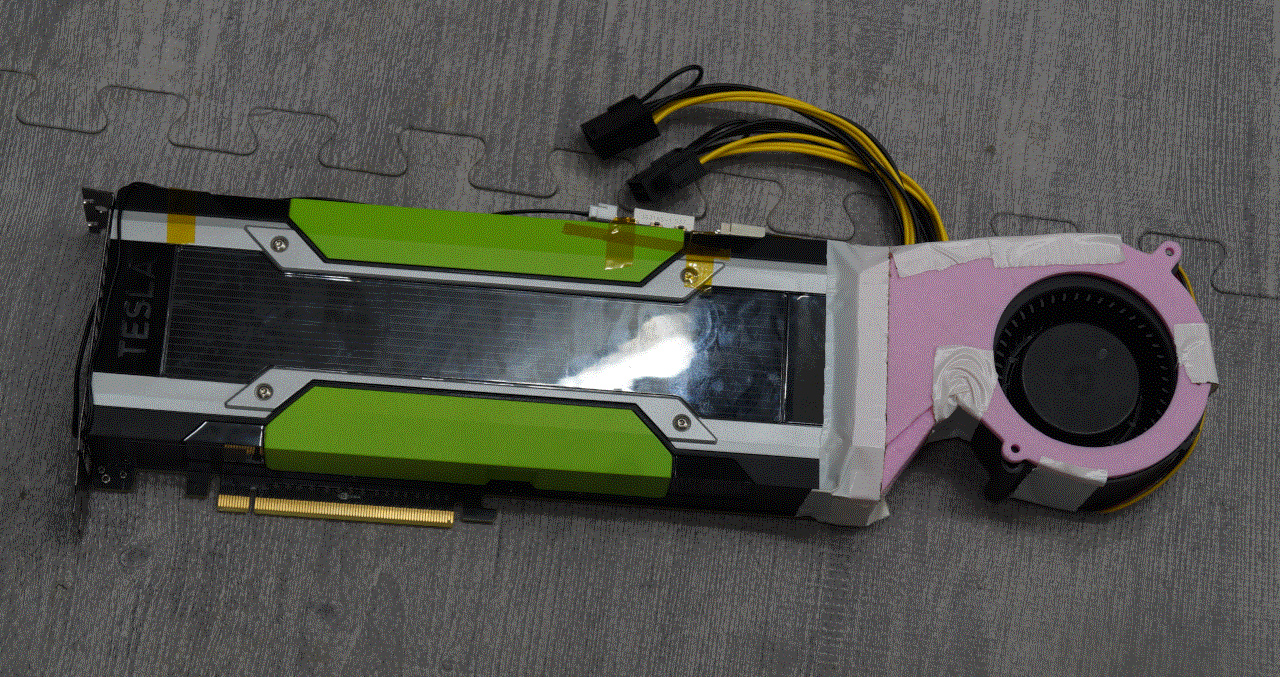
Final card assembly
I tapped into power and ground for the PWM fan controller from the card itself as a clean hack to keep everything together nicely, giving me a reliable assurance the fan won't lose power.
One note on the PWM fan control is that the probe is not only wildly inaccurate in general, but also cannot possibly be placed to effectively measure any temperatures. This means that it could read 60°C while the card is boiling itself alive in its hotspot, which is a recipe for disaster.
Setting extremely aggressive fan curves is about all that can be done (within reason) about this, as well as affixing the probe over the hottest section of the heatsink. This hurt the noise profile significantly, but while idle was still able to remain relatively quiet.
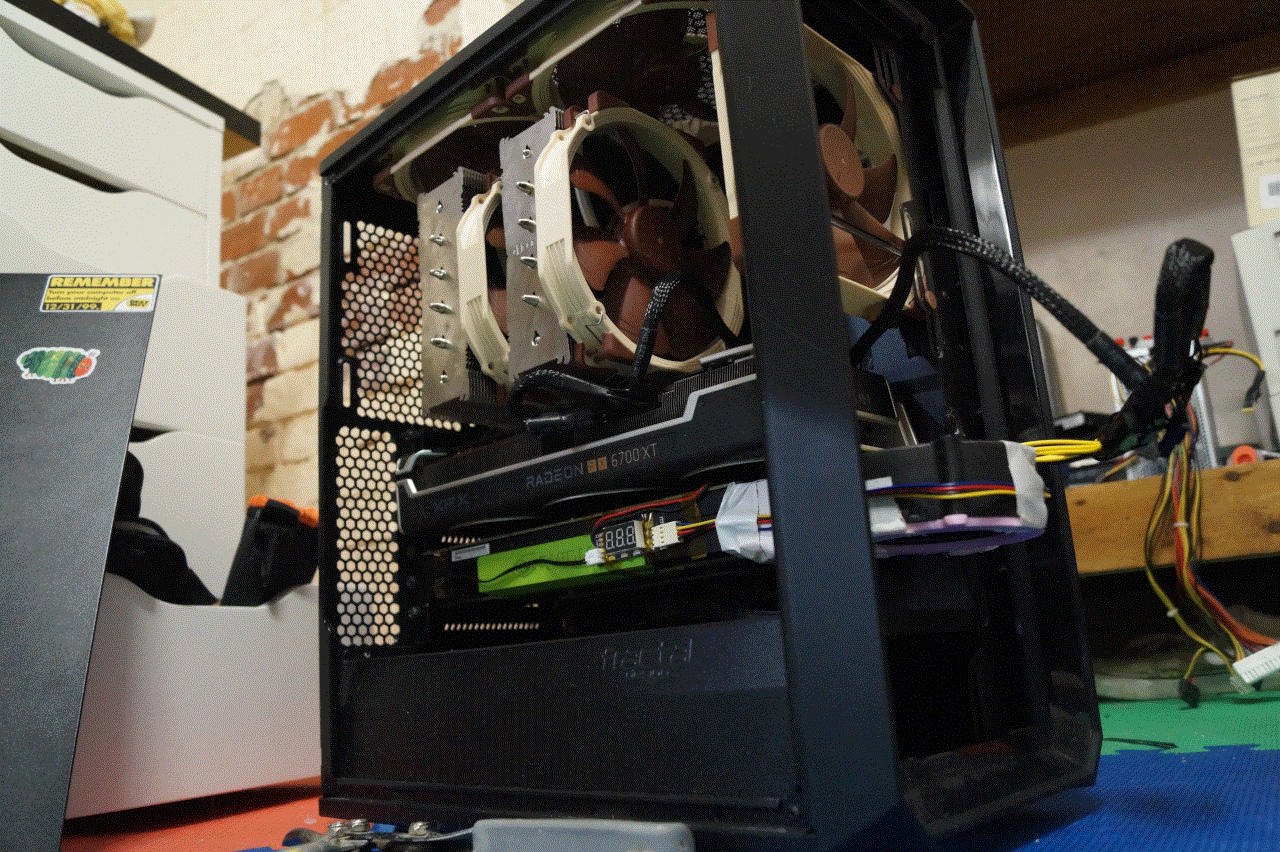
Oversized Card Installation
It didn't fit in my case, but that's nothing unfixable with a pair of flush cutters. If you're doing this at home, use a test bench or extension cable.
** 470.256.02-r2 Woes
Probably the biggest reason these cards are so cheap became immediately apparent to me upon installation: legacy/unsupported hardware is a total pain in the ass! The proprietary NVIDIA driver dropped support for these cards in version 471.*, the open-source driver was never released targeting Kepler, and the CUDA capabilities are far behind what you'd think. Not to mention, security goes out the window around Dec. 2027 when Linux kernel 6.6 hits EOL, which the latest kernel I could get working with the archaic NVIDIA drivers.
I was saved (as is often the case) by running a mostly AMD system; downgrading NVIDIA drivers is barely an issue when I'm not running them in the first place. Split driver versions are not really possible, so if you were thinking about getting a K80 and throwing it in a system with an RTX card, think again.
Running not directly on the host-machine (in a VFIO/OVMF VM) wouldn't be too hard or introduce too much overhead, all while working around these issues. Too bad I'm lazy :D
See the companion piece if you wish for a more technical overview of everything required to get this card working.
* Splitting the Bill
From a time where 6GiB of VRAM seemed excessive, you might wonder how the GK210 addressed 24GiB of memory; it doesn't! The Tesla K80 is two GK210 dies in a trenchcoat. 12GiB each, with no special interconnects like SLI.
This complicates workflows significantly, as anything we need performant will have to be compatible with multi-GPU setups, all while a sizable portion of memory must be allocated to duplicated, shared resources.
Luckily, llama.cpp has comprehensive support for splitting the workload across multiple cards.
All my settings can be found here, but the highlights are as follows:
| Setting | Rationale |
|---|---|
| --parallel 1 | Single-user & single-session |
| --split-mode tensor | Better model & KV splitting method |
| --split-mode layer | For models that don't support tensor split |
| --flash-attn on | Marginal speedup |
With these settings, I was able to load the following models entirely in VRAM with no offloading onto host:
| Model | Split Mode | Context Size | TPS (Preprocess) | TPS (Generation) | VRAM Use |
|---|---|---|---|---|---|
| Qwen3.5-0.8B | tensor | 256K | ~1200 | ~50 | 22% |
| Gemma3-4B | tensor | 128K | ~400 | ~26 | 33% |
| Gemma4-12B | layer | 256K | ~130 | ~6 | 65% |
| GPT-oss-20B | tensor | 128K | ~130 | ~27 | 81% |
| Quen3.8-27B | layer | 55K | ~35 | ~3.3 | 88% |
This is quite bad! If anything, its impressive that I expected anything less from this card.
* Scraping the Barrel
The stats don't lie, but my heart yearns to play a little more with these cards. We aren't quite done yet, and can squeeze more out of the K80 still.
Lets overclock!
Its a little dry, so the steps are separate over here. TL;DR
- ECC -> Off
- Power limit -> 175W
- Memory clock -> 3200MHz
- Base+boost GPU clock -> +13MHz
... and the results are marginally better!
| Model | TPS (Preprocess) | TPS (Generation) |
|---|---|---|
| Qwen3.5-0.8B | ~1300 | ~54 |
| Gemma3-4B | ~430 | ~28 |
| Gemma4-12B | ~140 | ~6.5 |
| GPT-oss-20B | ~140 | ~30 |
| Quen3.8-27B | ~38 | ~3.6 |
Still, in the grand scheme of things, absolutely abysmal.
* PRIME TIME!
Here's a fun bonus: gaming on a Tesla is easy! On paper, you basically have two GK110 equivalents (that's the die in the GTX 780), with the sad asterisk of no intra-die communication between the two (unlike a Titan Z that has SLI).
Linux makes it easy to offload rendering onto one GPU and pipe it to a display/surface on another card. This mechanism is identical to hybrid-graphics in laptops or Thunderbolt eGPUs, with some modification to actually select the K80.
BASH $
k80-run.sh #!/usr/bin/env bash
PCIE_ID="$(lspci -nn | grep 'Tesla K80' | head -n 1 | awk '{print substr($10,2,9)}')"
exec env \
__NV_PRIME_RENDER_OFFLOAD=1 \
__GLX_VENDOR_LIBRARY_NAME=nvidia \
__VK_LAYER_NV_optimus=NVIDIA_only \
MESA_VK_DEVICE_SELECT=$PCIE_ID \
PROTON_USE_WINED3D=1 \
SDL_VULKAN=0 \
"$@"Test it out with k80-run.sh glxgears -info | grep GL_RENDERER, and you'll see it running on your K80! Steam integration is then as easy as settings your launch options to k80-run.sh %command%, so long as the game uses OpenGL or Vulkan<=1.2.
Disabling Vulkan hurts performance, but I'm far too lazy to bother downgrading DXVK to 1.x.
Most games were run at 1024x768, and all on low. Because that's how I play everything.
| Game | FPS |
|---|---|
| Payday 2 | 133 |
| DJMAX RESPECT V | 180 |
| Team Fortress 2 | 110 |
| Sun Haven | 240 (cap) |
Testing was limited because it wasn't that interesting in reality. If a GTX 780 can run it, so can the K80. Although, for whatever reason, many Linux native games didn't work. I was too lazy to investigate why.
* You Shouldn't Buy One
TL;DR -- The juice isn't worth the squeeze, and these cards are e-waste for a reason.
Let's do some quick math to prove it: as of writing it's not unreasonable to expect to pay about $2USD a ZDR, medium-sized model. Medium-sized, as in "completely dwarfs anything you can run locally". Let's see how much it costs us to run a local, decent performing (relative terms) model, using values overly generous to the K80:
| Model | Gemma4-12B |
| Avg. Wattage | 200W |
| Cost/kWh | $0.25USD |
| Cost/Hr | $0.05USD |
| Tok/Hr | 25000 |
| Hr/Mtok | 40 |
| Cost/Mtok | $2USD |
(For reference, current ZDR API costs for Gemma4-31B are <$0.45USD).
If, like me and don't trust ZDR, then this is probably the cheapest way to ensure your data stays truly private. Yet it's hard to imagine any workload that would benefit from this slow generation. You may still be better off not spending a dime and running light models on or your existing GPU.
To put it bluntly: it's literally multiple times faster to run these models on my CPU at the same wattage. A reasonably modern gaming GPU (i.e. 6700xt) can blow this out of the water, including running larger models with less VRAM by way of MoE streaming.
Don't buy a Tesla K80. Though if you do, you might as well buy eight just for fun.
*** footnotes
Anthropic's PR charades are tiring. API aside, of course they profit off of your personal information. Of course they use your chats as training data. They just haven't put third-party ads in their first-party product (yet). ↩
It's rather powerful actually, and remains a great value in today's high demand for new hardware. I don't even use 4GB of VRAM in any games I play, though AI slop is a different beast where VRAM is king. ↩